Security Settings
Matrx allows setting the login password validity period for all users or selected users at the enterprise level by the admins.
Prerequisites
- Business or Enterprise plan
- Super Admin or Admin access
Getting Started
- Sign in to the Matrx admin portal.
- In the navigation menu, unfold System Settingand click Security Settings.
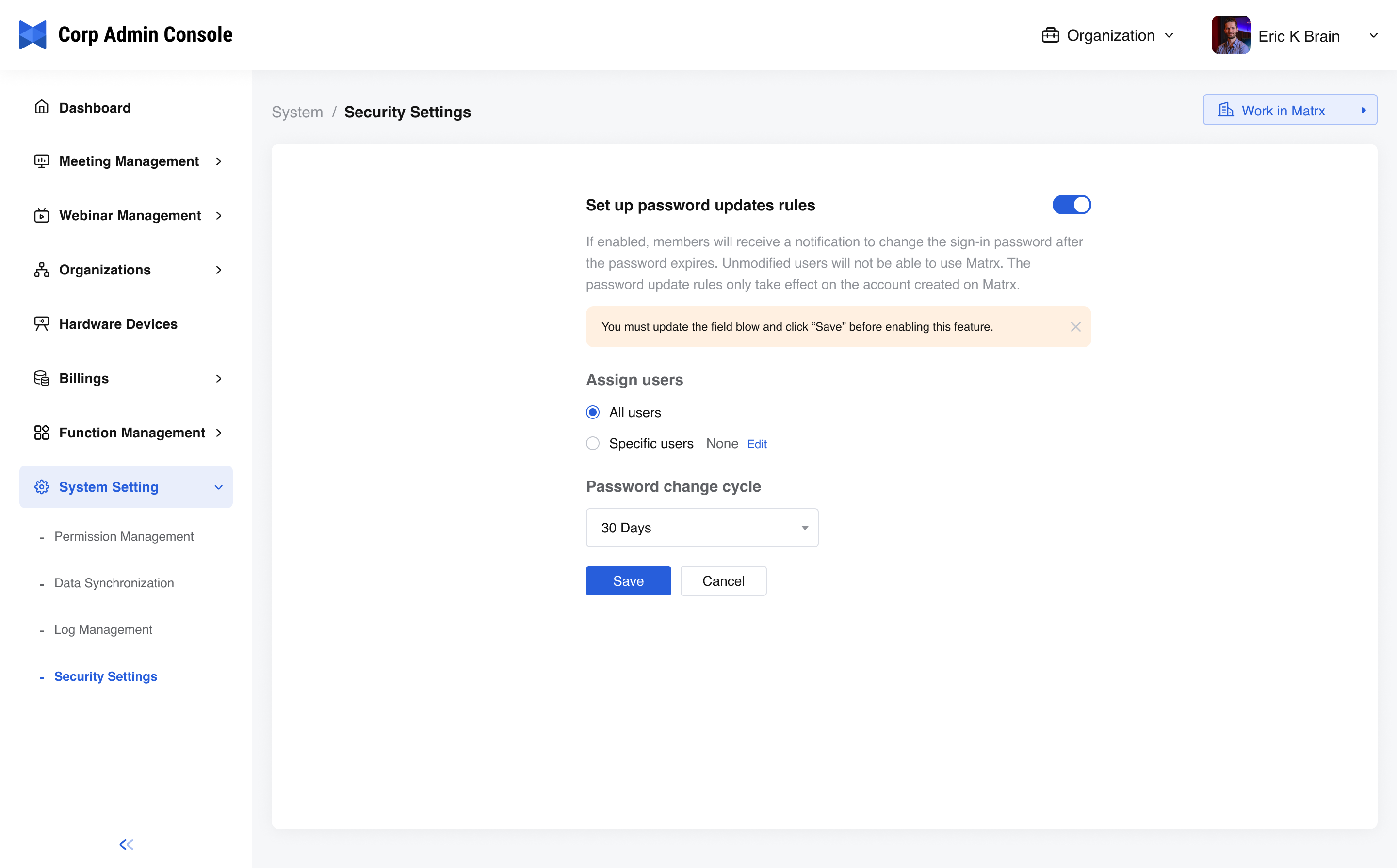
Set up password updates rules
The administrator can set the password validity rule for logging in to Matrx. When users sign in to Matrx, they need to change their passwords regularly to ensure the security of their accounts. If the member is between multiple enterprises, the effective content is the rule with the shortest reasonable time. This function only applies to accounts generated in the Matrx system. Accounts imported by third-party systems do not apply to this function.
-
Switch the function on or off - Usually, the switch is turned off by default, which means the password is effective for a long time and does not need to be modified regularly.
-
Assign users - By assigning the users, the admin can decide who can or cannot use the function.
- All uses - All members of the enterprise
- Specific users- Admin can select from the member list of the enterprise and decide who can or cannot use the function.
-
Password change cycle - Choose 30 days, 60 days, or 90 days as the period of password validity. When it expires, users will be prompted to change their sign-in password.
Note:
- The administrator must click “Save” before the rule takes effect. Otherwise, the configuration that took effect last time will be retained.
- Two days before the password expires, the user can receive a prompt to change the password on the clients, and the email account will receive an email notification. Of course, if you do not modify it and sign in to the Matrx client two days later, the system will force users to change their login passwords.